

Mac Data Recovery
Made Simple
Recover deleted documents, photos, videos, and other files from your Mac. Whether your files were lost due to accidental deletion, formatting, macOS issues, or storage problems, Eassiy helps you recover them safely.
Fully compatible with macOS Sequoia, Sonoma, Ventura, and Apple T2/M1/M2/M3 security chips.Built for Common Mac Data Loss Scenarios
Mac storage differs radically from Windows. Eassiy is engineered specifically to address common Mac disk management patterns and partition structures.
Accidentally Emptied Trash
Recover files removed from the Trash before they are overwritten by system processes.
macOS Update Issues
Restore files lost after a macOS upgrade, reinstall, or unexpected system interruption.
APFS or HFS+ Drive Problems
Recover data from APFS and HFS+ formatted internal SSDs or partitioned external volumes.
External Storage on Mac
Recover files from USB drives, external hard drives, SSDs, and SD cards connected to your Mac.
Recover More Than Just Documents
A comprehensive system scan reconstructs headers, file sizes, and metadata for almost any file format on macOS.
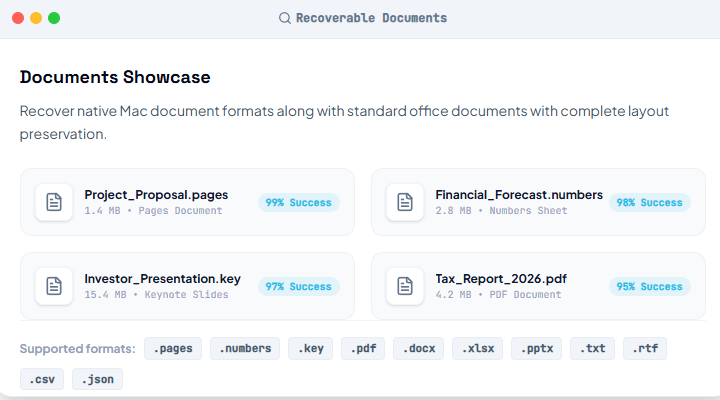
Support hundreds of commonly used file formats on macOS.
Works Across the Mac Ecosystem
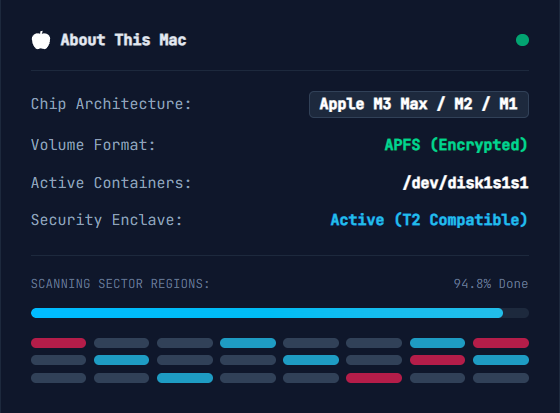
Eassiy supports the entire range of modern Apple computer models, older Intel hardware, and storage systems without require extra configurations or security locks adjustments.
Compatible with
- MacBook Air
- MacBook Pro
- iMac
- Mac mini
- Mac Studio
Supported file systems
- APFS
- HFS+
- exFAT
- FAT32
Supported macOS versions: Mac OS X 10.7 and above, including the latest macOS Sequoia.
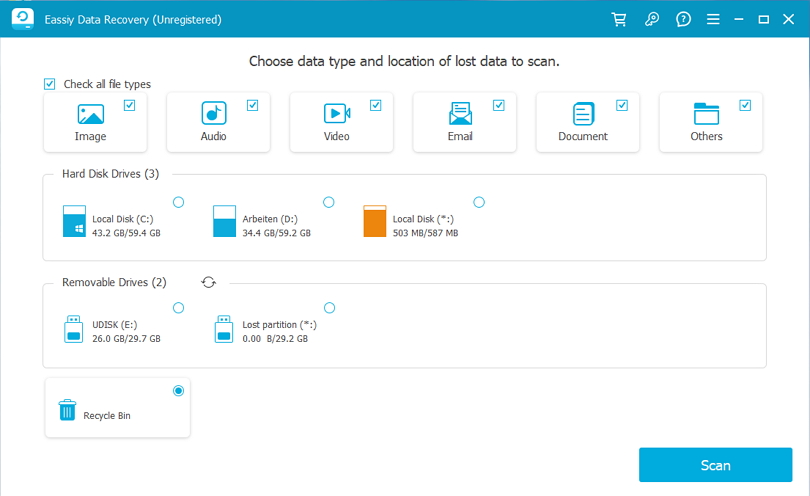
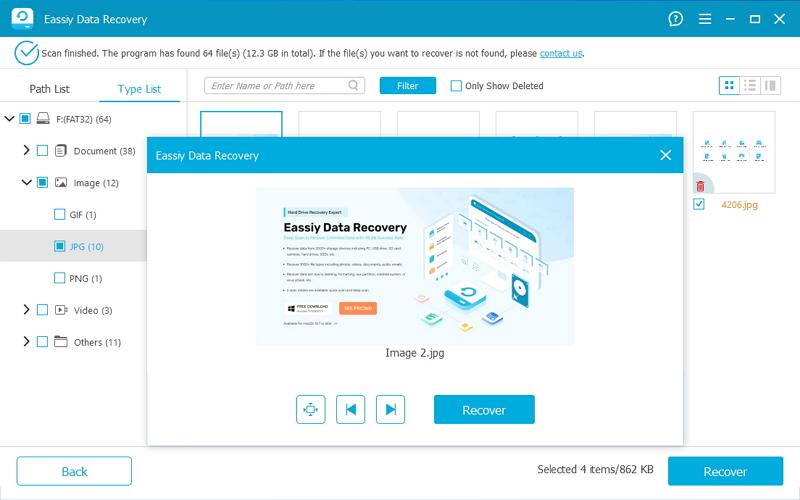
From Scan to Recovery in Minutes
No professional technical assistance required. Eassiy restores missing data directly in three streamlined steps.
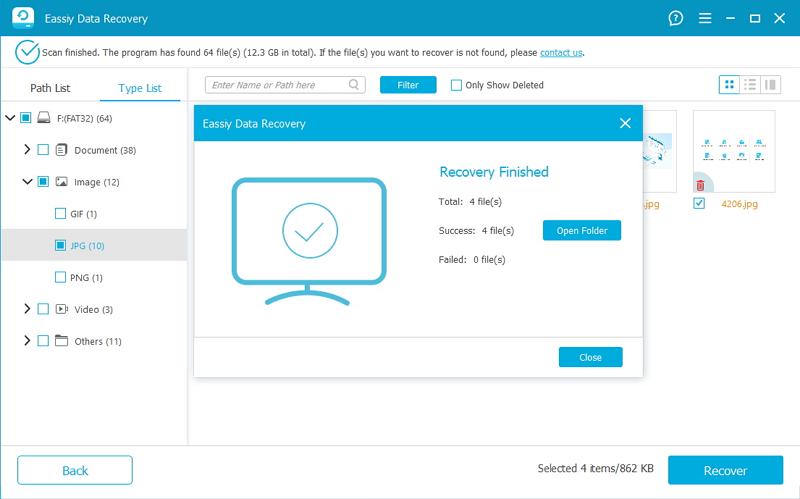
Why Choose Eassiy for Mac Recovery?
Designed as a premium, low-overhead utility for professional or beginner Mac users alike.
Optimized for macOS
Designed specifically for Mac storage layouts, APFS architectures, and custom Silicon platforms.
Preview Before Recovery
Filter, browse, and check recoverable document details or image quality before restoring them.
Read-Only Recovery
Secures original drive data by operating 100% read-only, preventing any secondary overrides or formatting hazards.
Beginner-Friendly
Simple clickable layouts mean you do not need Terminal knowledge or advanced Unix partition scripts.
No Matter How You Lost Your Files
We separate scenarios into user mistakes and unexpected hardware issues. Eassiy has modules designed to handle both.
Everyday Mistakes
Unexpected Problems
Mac Recovery FAQs
Find instant answers to common questions about restoring data inside macOS platforms.
Yes, you can. When you empty the Trash, macOS removes the directory pointers to those files, marking the space as 'available' for overwriting. The actual file data remains on your drive. Eassiy Mac Recovery bypasses the file system index to scan raw block storage directly, reconstructing and restoring those deleted files before new data overwrites them.
Absolutely. Eassiy has been fully optimized for Apple's modern APFS (Apple File System) architecture. It handles APFS container distribution, encrypted APFS volumes, snapshot backups, and space sharing schemes, ensuring high success rates on macOS Sequoia, Sonoma, Ventura, and Monterey.
Yes, in most cases you can. Reinstalling macOS typically rewrites system directories while leaving the user data partition blocks untouched (unless a complete secure format/wipe was performed). Running Eassiy Mac Recovery allows you to perform a deep scan of the formatted sector segments to rescue documents, photos, and media lost during the installation.
Yes. Eassiy supports external storage devices connected to your Mac. This includes APFS, HFS+ (Mac OS Extended), exFAT, FAT32, and NTFS formatted external SSDs, traditional USB hard drives, MicroSD/SD cards, and DSLR cameras.
Recover Lost Files from Your Mac Today
Start scanning your Mac and see what files can be recovered before making a purchase.
No technical skills needed. Built with fully read-only scan protocols.