

Recover Lost Data from Hard Drives
Whether your hard drive is internal, external, or accidentally formatted, Eassiy helps you scan and recover lost files quickly and safely.
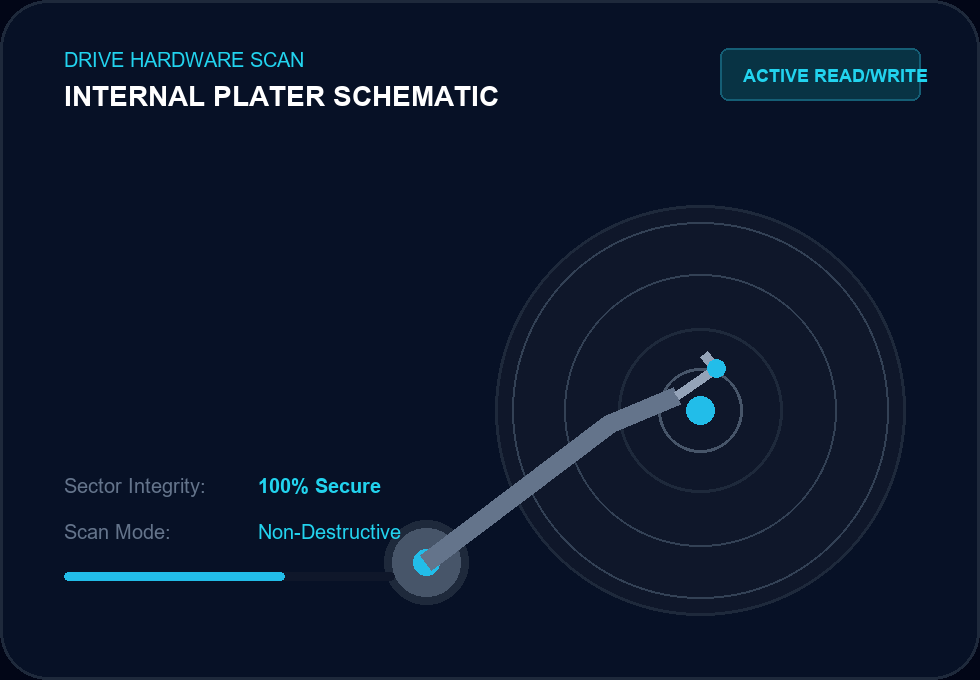
Deep Magnetic Sector Level Recovery
Eassiy bypasses system locks and broken mount sectors to read magnetic drive clusters directly. No matter the physical formatting or catalog file damage, our read-only scans recreate your structural tree.
Fully supports Western Digital, Seagate, Toshiba, Samsung, SanDisk, LaCie, and other storage media.
Every Hard Drive Has a Story
From fresh box setups to silent accidental data loss, files transition through logical states. Understanding your hard drive's journey is key to a successful rescue.
Healthy Drive
Brand new or running perfectly. Sector mapping is clean, files organized in neat cluster tables.
Files Deleted
Accidental deletion removes headers. The space is marked 'free', but the real data remains untouched.
Drive Corrupted
Unplugged during write or malware attacks. File system marks partition as RAW or corrupts boot records.
Partition Lost
Re-partitioning or dynamic disc error wipes partition structures. Entire volumes seem to vanish.
Files Recovered
Eassiy bypassed damaged headers, reconstructed deep sectors, and safely extracted original files.
No matter where data loss happens in your drive's journey, recovery may still be possible.
Recover Data from Different Types of Hard Drives
We recovery files from all physical drives, mechanical enclosures, solid state hybrids, and custom volume mappings.
Internal Hard Drives
Recover files from desktop and laptop HDDs.
- SATA / IDE connections
- Desktop & laptop drives
- Boot partitions & raw sectors
External Hard Drives
Recover photos, videos, and documents from USB-connected drives.
- Standard USB-A / Type-C
- NTFS, FAT32 & APFS
- Instantly plug & scan
Portable Hard Drives
Recover data from portable storage used for backup or travel.
- Rugged travel drives
- Accidental drops / disconnects
- Time Machine / Windows Backup
Partitioned Drives
Restore files from deleted or inaccessible partitions.
- RAW partitions
- Reformatted sectors
- Lost volume mappings
Common Hard Drive Problems
Hard drives fail in multiple logical scenarios. Whether due to filesystem crashes, raw formatting flags, or sudden disconnect files, Eassiy rebuilds the sectors safely.
If your drive is still recognized by your computer, software recovery is often the first step before considering expensive recovery services.
- Accidental deleted filesHigh Potential 99%
- Formatted driveHigh Potential 96%
- Corrupted partitionFull Support 92%
- RAW driveSector Scanning 90%
- Drive not showing upConditional (if detected by OS) 85%
- File system errorFull Reconstruction 95%
What Can Be Recovered?
We trace data from different structural sources instead of mere file extensions, ensuring years of compiled archives and layouts are fully reunited.
Documents
Office files, spreadsheets, presentationsPDFs, Word documents, Excel workbooks, powerpoint decks, and client txt records.
Business Files
Invoices, payrolls, archivesDatabase storage sheets, business receipts, email PST backup folders, and tax templates.
Family Photos
High-res images & camera RAW formatsJPG, PNG, TIFF, and RAW file extensions from digital cameras or local smartphone backup syncs.
Videos
Home movies, projects, vlog draftsHigh-bitrate files including MP4, MOV, AVI, MKV, and premium footage from backup drives.
Music Collections
MP3s, production stems, audio guidesAcoustic takes, premium audio tracks, wav loops, podcasts, and vintage vinyl digitizations.
Backup Archives
ZIP, RAR, 7Z compressionsCompressed structural archive folders holding years of old system records and setup packs.
Project Folders
Code, designs, CAD blueprintsGit directories, Photoshop PSD compositions, Figma drafts, AutoCAD plans, and local web source trees.
Others
Custom files & non-standard extensionsSystem logs, temporary app configurations, raw partition packages, cache files, encrypted blobs, and unsaved drafts.
Why Data Can Still Be Recovered
When system records are corrupted, magnetic media retains the raw sector records securely. Here is how deep logic works.
Delete File
You delete a folder. The OS clears only the master pointer.
Mark Space Available
The sector blocks are registered as writeable, but not wiped.
Data Still Exists
Magnetic patterns representing your binary files sit safely.
Recovery Scan Finds It
Eassiy reads the magnetic sectors, pieces files back to life.
Overwriting Notice: Until new data overwrites the original information, deleted files may still be recoverable. Do not install new files on your damaged drive prior to recovery.
Scan Your Drive in Three Stages
We divide the scanning task into highly efficient phases to respect disk power limits and recover data safely.
Find recently deleted files quickly.
Eassiy bypasses deeper disk structures to look specifically at the system Master File Table (MFT) or Catalog File. In under 60 seconds, it fetches files emptied from Recycle Bin or Trash.
Works with Popular Drive Brands
Our file cluster reconstruction engines are optimized to handle raw controller differences from leading hard disk makers.






Supports storage devices formatted with common Windows and macOS file systems.
Hard Drive Recovery FAQ
Get direct answers to common questions regarding logical platter scans, external disk mounting, and filesystem recovery options.
Yes, you can. When a hard drive is formatted, the file system removes the file directory access points and marks the clusters as available for writing, but the actual file content remains intact on the platter sectors until new files overwrite them. Eassiy runs a raw sector scan to bypass directory structures and piece together your files.
Absolutely. Eassiy fully supports all external HDD, SSD, and hybrid drives connected via USB, Thunderbolt, or eSATA. Whether it is formatted with NTFS, FAT32, exFAT, or APFS, the software can scan and rescue files seamlessly.
It depends on whether the drive is recognized by your computer's Disk Management (Windows) or Disk Utility (Mac). If the drive is physically spin-running and shows up as a device path (even with an unallocated or unformatted RAW partition), Eassiy can access the raw sectors to recover files. If the drive has complete physical/electrical failure and cannot be powered, hardware repair is required first.
If the damage is logical (corrupted partition tables, file system catalog issues, soft bad sectors, or sudden extraction errors), Eassiy is highly effective. If there is severe physical damage (scratched platters, broken actuator arm, or motor failure), you should consult a dust-free laboratory physical recovery service.
Don't Give Up on Your
Hard Drive Yet
Start with a scan to see what files can still be recovered before considering more expensive recovery options.
Absolutely read-only scanning logic. Built with 100% security encryption blocks.